(Since this post is kinda long I'll make the important parts bold.)
A wile ago I found out about this really cool thing called a HOSTS file. Basically what they can do is redirect certain urls / IP address from coming in and out your computer. This file can be used to block ads, URLs, and other malicious stuff found on teh Interwebz. (a virus or hacker can use this to redirect you to bad websites too)
One of the problems I found with it though is that if you want to watch a TV show, like from NBC or hulu or something, it wouldn't show! I was wondering why. Then it hit me. Its because places like NBC and hulu use outside advertising in the little 30 sec. commercials that are shown. And the shows won't show on NBC until the ads are.. well.. shown =\. Hulu will show them though. So, how can you watch something if it's being blocked?
I knew there must have been some why to "disable" this nifty little file. After doing some searching I found some host file managers and a cool little batch file. Having never really messed around with .bat format I decided to use that and learn. (If you want to see it leave a comment requesting it or something. I might make a post about it. ;) )
After a long wile I decided to try out one of these hosts managers and came across HostsMan.
This program can update your HOSTS from 4 different places. Each of them has a HOSTS file you can download. HostsMan can combine them all, or you can use just one.(Personally, I only use the one from mvps.org) I think you can also add other places if you want. It will also allow you to view and edit the file. The most important part is you can disable the HOSTS. So you can view sites that do have ads and what not (you have to close and re-open the browser for this to work most of the time). There is other stuff it can do, but those are the important stuff in my opinion.
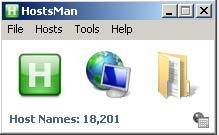
This is the hosts file enabled
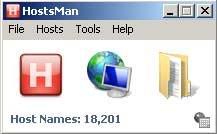
This is hosts file disabled
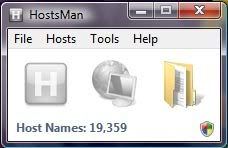
In Vista, wile only in an admin account I think, you have to click the little shield in the lower right hand corner to use the program normaly
Here is a simple step by step to see the ads so you can watch/support hulu or nbc.
(or do 2 and 3 first, then the 1st and lastly the 4th)- Close the browser
- Open HostsMan and click either the green H or File --> Uncheck Enable Hosts
- (Optional) Tools --> Flush DNS Cache
- Open browser and watch shows/support web services :D
Or you can... (This one doesn't always work from my experience. The former is more reliable.)
- Open HostsMan and click either the green H or File ? Uncheck Enable Hosts
- Tools ? Flush DNS Cache
- Click Refresh
Another problem with blocking ads is that you might get something weird on sites in place of the ads...
Firefox 3
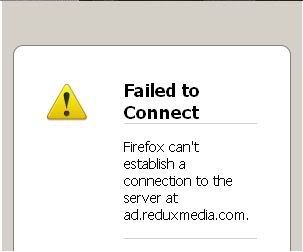
IE 7

Apparently there is a program that will get rid of those. I haven't tried it my self yet. But I will soon and I'll make a post about it too.

No comments:
Post a Comment